

Serum 2 bass presets for your next musical idea
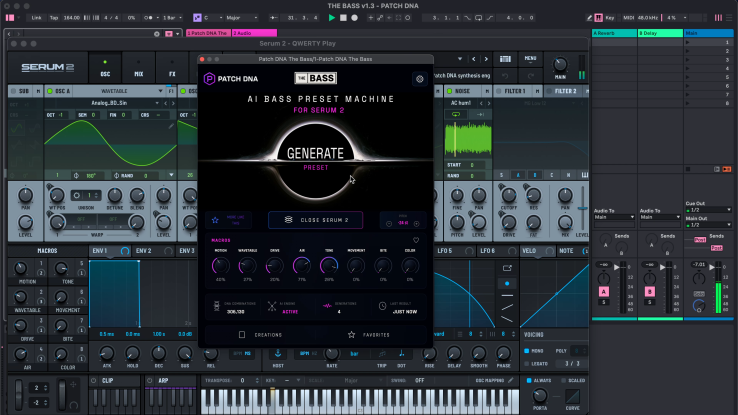
Choosing Serum 2 bass presets can be part of composing a track. A restless tone may suggest a rolling line; a short growl can make you leave a gap for the drums. Patch DNA The Bass is a genre-focused preset generator for exploring those possibilities inside your DAW.
The Bass focuses on Drum & Bass, Neurofunk, Dubstep and Bass Music. Its range includes Reese and rolling bass, growls, talking bass and sub tones. For a musician who enjoys using presets, the appeal is hearing another character to play with, then following the musical idea it suggests.
A preset pack supplies a fixed collection of ready-made sounds. With The Bass, you generate a preset and can request related variations around an interesting result. That gives the session another way to develop: create candidates, play them and keep the ones that interest you. You can use those discoveries alongside sounds from your existing library.
Give the bass a place in your session
A bass that feels huge on its own can take a different role beside a busy break. Hearing it in your session lets you decide whether to leave more space or change the phrase.
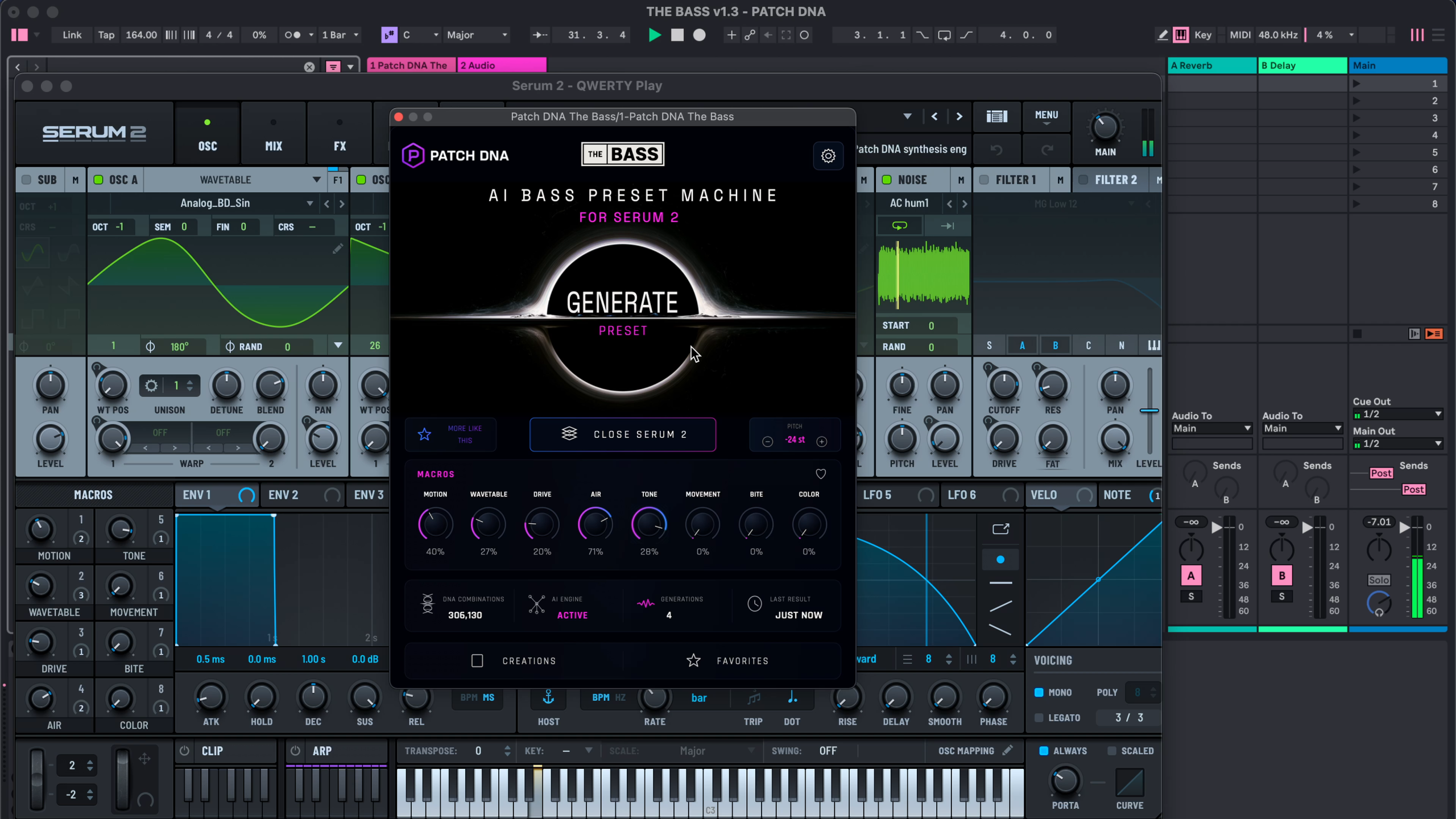
For a Drum & Bass sketch, begin with a break you enjoy and a simple bass phrase. Two notes with a gap between them are enough to give a sound a job. Play the phrase on a keyboard or draw the MIDI notes into your DAW, then use Generate to hear a bass preset with that part.
Listen to what makes you want to play it again. A sustained tone might carry the gap between drum hits. A rougher sound may suggest shorter notes that answer the snare. Change the phrase if the sound gives you a better idea. The instrument and the notes can develop together.
Before generating further, record a short audio reference of a phrase that interests you in your DAW. Keep the MIDI phrase as well: the audio reminds you how this bass sounded, while the MIDI keeps the notes available for another idea. Save the generated preset too, so you can return to the sound itself.
Follow a promising sound with More Like This
When a generated bass catches your ear, More Like This offers related variations. Keep your phrase playing as you compare them. This helps you hear what each version contributes to the same musical idea.
For example, one candidate might suit the main rolling phrase, while another feels better on a held note at the end. You could keep the first as the main bass and save the second as an option for a response or transition. These are choices to explore by listening; the feature provides related sounds, and you decide what belongs together.
Use Creations and Favorites to keep useful discoveries before moving on. A few sounds that each have a clear role can become a workable palette for the track. There is also room to collect something simply because you enjoy playing it, even when its eventual place in an arrangement is still unclear.
Let another sound start another idea
A Dubstep session could begin with the bass alone. Generate a sound, play a short phrase and leave a space after it. A growling or talking character may suggest a call-and-response pattern. You can record the first phrase, then try related variations for the answer.
Bring in a drum pattern and hear how the pauses work against it. You may keep the original rhythm or find that the bass invites a different one. The Bass supplies the preset you play; the notes, rhythm and arrangement are your composition.
This makes exploration useful during both kinds of session: developing an existing project and beginning with an empty one. A sound can earn a place beside a groove you already have, or give you a reason to write the first few bars.
Build a collection with musical context
Save the sounds that interest you, and keep short musical sketches in your DAW projects. A rolling phrase, a held note beneath a chord change or a short response can remind you why you chose a particular bass.
Over time, those selections can form a personal palette across the styles you enjoy. The same musician might want a sustained Reese for one project and a compact growl for another. The value of the collection comes from the sounds you choose and the music you associate with them.
Active macros provide accessible adjustments when you want to change a sound. Full editing in Serum 2 is available too. You can explore those options when a track calls for them. The Bass supports VST3 in compatible DAWs on Windows and macOS, plus AU on macOS. A separately purchased, installed and activated copy of Serum 2 is required.
Hear the featured bass within a full demo
A full-track demo presents a musical arrangement, including accompanying parts. Listen for the featured bass and the role it plays alongside the drums and other instruments. That gives a more useful reference for your own music than judging only the overall energy of the finished demo.
Patch DNA plans regular updates to expand the sound possibilities of its products.